SSH: Secure Remote Access to Computers and Servers
How Secure Shell replaced insecure remote terminal protocols and became an essential tool for server administration.
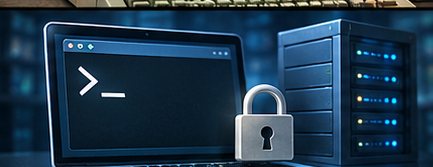
Remote terminals before SSH
Early network tools made it possible to log in to another computer and operate it through a text terminal. Telnet was widely used for remote access, but its traffic was not encrypted by default. Usernames, passwords, and commands could be exposed to anyone able to monitor the connection.
As networks expanded beyond trusted local environments, transmitting credentials in readable form became an unacceptable risk. Administrators needed a way to manage remote systems while protecting authentication data and session traffic.
What SSH provides
Secure Shell, commonly called SSH, is a protocol for secure remote login and other network services. It encrypts the connection and supports server authentication, user authentication, and integrity protection. Administrators commonly use SSH to access Linux and Unix servers, run commands, transfer files, and create secure tunnels.
SSH is more than a remote terminal. It can support secure file transfer, port forwarding, and automated administration. These capabilities make it useful in cloud infrastructure, software development, deployment pipelines, and network operations.
Host keys and server identity
When a client connects to an SSH server, the server presents a host key. The client uses this key to help verify that it is reaching the expected server. A first-time connection may ask the user to trust the presented key; administrators should verify the fingerprint through a trusted channel rather than blindly accepting unexpected changes.
A changed host key can be legitimate after a server rebuild, but it can also indicate that the connection is reaching a different system. SSH clients warn about key changes for this reason. Managing host keys carefully is part of protecting remote administration.
Passwords and public-key authentication
SSH can authenticate users with passwords, public keys, certificates, or other supported methods. With public-key authentication, the user keeps a private key and installs the corresponding public key on the server or through an authorized key-management system. The private key proves possession without sending it to the server.
Private keys should be protected with suitable file permissions and, where appropriate, a passphrase or hardware-backed storage. Organizations should remove keys when staff or contractors no longer need access, avoid sharing private keys, and monitor which identities can reach privileged systems.
Hardening SSH access
Disable obsolete algorithms and insecure configurations, keep SSH software updated, restrict access to trusted networks where practical, and use strong authentication. Consider disabling direct root login, limiting allowed users, and using a bastion host or managed access gateway for sensitive environments.
Changing the default port may reduce background scanning noise, but it is not a substitute for authentication and patching. Rate limiting, firewall rules, logging, key rotation, and careful privilege management are more meaningful controls. Administrators should test configuration changes before deploying them broadly.
SSH in modern infrastructure
Cloud servers, containers, and automated deployment systems frequently rely on SSH or related secure management channels. Automation introduces additional risks: keys can be copied into repositories, build logs, or unmanaged machines. Use secret-management systems, short-lived credentials where available, and tightly scoped permissions.
SSH remains a foundational administrative tool because it provides a secure way to manage systems remotely. Its effectiveness depends on protecting keys, verifying server identity, limiting privileges, and reviewing access over time.
Operational SSH controls
Remote administration should be limited to authorized people and approved systems. Centralized access gateways, just-in-time access, logging, and configuration management can reduce the number of unmanaged keys and servers. For automated jobs, use dedicated service identities with narrowly scoped permissions instead of reusing a personal administrator key.
Administrators should have a documented process for rotating keys and responding to a lost laptop or suspected credential exposure. Access logs should identify the account and source of each session, while sensitive commands and changes should be captured through appropriate audit mechanisms. Convenience should not come at the cost of untraceable shared access.
Key takeaways
- Security is a combination of technology, people, policies, and ongoing maintenance.
- Choose controls that address the actual risks and test that they work as intended.
- Review access, keep systems updated, and plan for recovery before an incident occurs.
Putting security into practice
Security decisions affect websites, applications, communications, and the information organizations manage. Dyeware's Resource Center explores these subjects to help readers understand the technologies and tradeoffs involved. Where relevant, Dyeware services and products provide examples of how these principles can be applied in real-world projects.