Email Security: Phishing, Spoofing, Spam, and Encryption
Explore the threats facing email and the technologies that help protect messages, accounts, and shared documents.
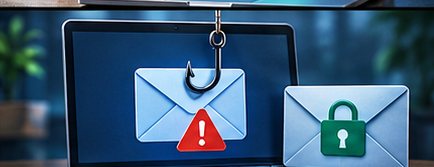
Why email became a major target
Email is central to personal and business communication, which makes it attractive to attackers. A message can reach many people at low cost and can carry links, attachments, requests for payment, or instructions that appear to come from a trusted person. Because email crosses organizational boundaries, recipients cannot assume that a sender's display name or address tells the whole story.
Email attacks range from bulk spam to carefully researched business email compromise. An attacker may impersonate an executive, supplier, colleague, or service provider. The goal may be to steal credentials, deliver malware, redirect a payment, or persuade someone to disclose confidential information.
Phishing and spoofing
Phishing uses deceptive messages or websites to persuade recipients to reveal information or take an unsafe action. Spear phishing is tailored to a particular person or organization. Spoofing involves falsifying message details or other identity signals so a message appears to come from somewhere it did not.
Email authentication standards help receiving systems assess whether a message is authorized by the domain it claims to use. SPF identifies permitted sending hosts; DKIM uses a cryptographic signature; DMARC tells receivers how to handle messages that fail aligned authentication and provides reporting. These controls reduce some forms of domain spoofing, but they do not stop every deceptive message or compromised account.
Attachments, links, and account takeover
Malicious attachments may contain scripts, documents with active content, archives, or files that exploit software vulnerabilities. Links may lead to fake sign-in pages or websites that deliver malware. Attackers also use legitimate cloud-sharing services to make harmful links look familiar.
Protect email accounts with unique passwords, multi-factor authentication, secure recovery methods, and alerts for unusual sign-ins. Keep clients and operating systems updated. Be cautious of unexpected payment changes, urgent requests, and messages that ask for credentials or verification codes. Confirm unusual financial instructions using a separate trusted channel.
Encryption and message confidentiality
Transport encryption protects email as it moves between a client and a mail service or between mail servers when supported and correctly negotiated. It does not necessarily mean that the message remains encrypted end-to-end or that the provider cannot access its contents. End-to-end encryption aims to keep message contents readable only by intended participants, but key management and recipient compatibility can be challenging.
Attachments and documents may need protection beyond the email transport itself. A secure document workflow can use access controls, encryption, recipient verification, expiration, and audit records. The right approach depends on the sensitivity of the information and the recipient's ability to access it safely.
Safer document exchange
Email attachments are convenient, but copies can be forwarded, downloaded, stored in multiple mailboxes, or retained long after the original sender intended. Organizations handling contracts, financial records, customer information, or confidential files may need a more controlled delivery process.
Dyeware Docs is a natural example to discuss in this context: secure document sending and receiving can be designed around controlled access and document protection rather than treating every file as an ordinary attachment. Any such service should clearly explain how files are encrypted, how recipients are verified, how long documents remain available, and what audit information is retained.
Building an email security routine
Use domain authentication, spam and malware filtering, MFA, account monitoring, and clear procedures for reporting suspicious messages. Train staff to verify unusual requests and avoid using email alone to approve sensitive transactions. Establish retention and handling rules for confidential attachments.
Email security is a shared responsibility among senders, recipients, service providers, and administrators. Technical controls reduce risk, but they work best when people understand common deception techniques and know how to report something suspicious without fear of blame.
Business email compromise
Business email compromise often relies on impersonation, compromised mailboxes, or changes to payment instructions. Attackers may study an organization's vendors and invoice routines before sending a convincing request. A familiar sender address is not enough to verify a transaction, particularly when the request changes bank details or asks for unusual urgency.
Organizations should establish independent verification for financial changes and sensitive requests. Use a known phone number or previously established contact method rather than replying to the message in question. Mailbox rules, forwarding settings, OAuth application grants, and unusual sign-in activity should also be reviewed when an account may have been compromised.
Key takeaways
- Security is a combination of technology, people, policies, and ongoing maintenance.
- Choose controls that address the actual risks and test that they work as intended.
- Review access, keep systems updated, and plan for recovery before an incident occurs.
Putting security into practice
Security decisions affect websites, applications, communications, and the information organizations manage. Dyeware's Resource Center explores these subjects to help readers understand the technologies and tradeoffs involved. Where relevant, Dyeware services and products provide examples of how these principles can be applied in real-world projects.