The Evolution of Mobile Computing
From portable computers and personal digital assistants to smartphones, tablets, mobile networks, and apps.
See how computing moved from desks and offices into pockets, vehicles, and connected environments. This guide follows the development of the technology, explains the ideas behind it, and considers the practical choices that shape how it is used today.
The First Portable Computers
Early portable computers were often heavy, expensive, and limited compared with desktop systems. Some were transportable rather than truly handheld, with small displays, compact keyboards, and battery life that constrained their use. They showed that people wanted computing away from a fixed desk, even when portability required compromises.
As components became smaller and more energy efficient, laptops evolved into practical everyday computers. Improvements in processors, displays, batteries, and storage made portable systems lighter and more capable. Wireless networking later removed another major constraint: the need to connect through a cable wherever the computer was used.
When evaluating this area, it helps to separate the underlying technology from the way a particular product implements it. Specifications, operating conditions, support policies, and the quality of the surrounding system all influence the result. A sound design starts with the actual requirement, then selects an approach that can be maintained and measured over time.
Personal Digital Assistants
Personal digital assistants, or PDAs, brought calendars, contacts, notes, and basic applications into handheld devices. Products such as the Apple Newton and Palm handhelds helped establish touch or stylus-based mobile computing before modern smartphones.
These devices were focused tools rather than full replacements for desktop computers. Synchronization with a PC was often central to managing contacts and appointments. Limited connectivity, small screens, and constrained input shaped how applications were designed, but the PDA era established habits that later smartphones expanded.
When evaluating this area, it helps to separate the underlying technology from the way a particular product implements it. Specifications, operating conditions, support policies, and the quality of the surrounding system all influence the result. A sound design starts with the actual requirement, then selects an approach that can be maintained and measured over time.
Cell Phones Become Computing Platforms
Early mobile phones focused on voice calls and text messaging. As processors, memory, displays, and mobile operating systems improved, phones began to run applications, browse the web, capture photos, play media, and access location services. The phone evolved from a communications device into a general-purpose computer.
The introduction of app platforms created a new software distribution model. Developers could build applications for a known operating system and device family, while users could discover and install software through app stores. This brought convenience, but it also made platform policies, permissions, and distribution rules important business considerations.
When evaluating this area, it helps to separate the underlying technology from the way a particular product implements it. Specifications, operating conditions, support policies, and the quality of the surrounding system all influence the result. A sound design starts with the actual requirement, then selects an approach that can be maintained and measured over time.
The Smartphone Era
Modern smartphones combine powerful processors, high-resolution touchscreens, cameras, GPS, biometric sensors, wireless radios, and substantial storage. Their operating systems coordinate background activity, application permissions, notifications, and power use. The result is a compact device that can perform many tasks once associated with separate products.
Touch interfaces changed application design. Buttons and menus had to work on small screens, and apps needed to adapt to portrait and landscape layouts, varying screen sizes, and accessibility needs. Mobile-first design became important even for services that also had desktop websites.
When evaluating this area, it helps to separate the underlying technology from the way a particular product implements it. Specifications, operating conditions, support policies, and the quality of the surrounding system all influence the result. A sound design starts with the actual requirement, then selects an approach that can be maintained and measured over time.
Mobile Networks and Always-Connected Services
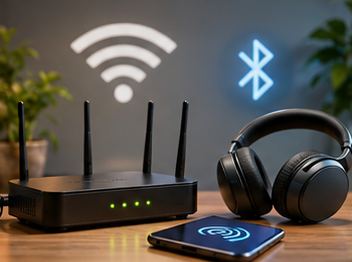
Mobile computing depends on several communication technologies. Cellular networks provide wide-area connectivity, Wi-Fi handles local network access, Bluetooth connects nearby accessories, and NFC supports short-range interactions such as contactless transactions and device pairing. Each has different range, bandwidth, power, and security characteristics.
The move from 3G to 4G LTE and 5G increased capacity and improved support for streaming, video calls, cloud applications, and connected devices. Actual performance still depends on coverage, signal quality, congestion, device capability, and service plans. Network speed alone does not determine the quality of a mobile experience.
When evaluating this area, it helps to separate the underlying technology from the way a particular product implements it. Specifications, operating conditions, support policies, and the quality of the surrounding system all influence the result. A sound design starts with the actual requirement, then selects an approach that can be maintained and measured over time.
Mobile Apps, Cloud Services, and Synchronization
Many mobile applications are clients for services running in the cloud. A phone may display information stored remotely, upload photos, synchronize documents, or request data from an API. This architecture lets users move between devices, but it also creates dependencies on connectivity, account security, and service availability.
Offline support is still important. Good applications can cache useful information, queue changes, and synchronize when connectivity returns. Developers must consider conflicts when the same information changes on multiple devices, as well as protect data stored locally on a phone that may be lost or shared.
When evaluating this area, it helps to separate the underlying technology from the way a particular product implements it. Specifications, operating conditions, support policies, and the quality of the surrounding system all influence the result. A sound design starts with the actual requirement, then selects an approach that can be maintained and measured over time.
Mobile Security and Device Identity
A smartphone contains sensitive information and can act as an authenticator for other services. Screen locks, biometric checks, secure hardware, application sandboxing, encryption, and operating-system updates help protect it. Users should install updates, review app permissions, and use strong account recovery methods.
Device identity is more than knowing a phone number. Services may use cryptographic keys, device registration, certificates, or platform-backed credentials to establish trust. These mechanisms need careful recovery and lifecycle management: a lost, replaced, or compromised device must not retain access indefinitely.
When evaluating this area, it helps to separate the underlying technology from the way a particular product implements it. Specifications, operating conditions, support policies, and the quality of the surrounding system all influence the result. A sound design starts with the actual requirement, then selects an approach that can be maintained and measured over time.
Beyond the Smartphone
Mobile computing now extends to tablets, watches, vehicle systems, handheld scanners, wearable health devices, and industrial equipment. Some devices have rich screens and applications; others collect sensor readings and communicate with a gateway or cloud service. The boundary between mobile computing and IoT is increasingly blurred.
Future mobile experiences will likely combine local AI, faster networks, augmented reality, connected vehicles, and more capable sensors. The challenge is to make these systems useful without overwhelming users or collecting more data than necessary. Good mobile technology should be secure, accessible, reliable, and respectful of attention and privacy.
When evaluating this area, it helps to separate the underlying technology from the way a particular product implements it. Specifications, operating conditions, support policies, and the quality of the surrounding system all influence the result. A sound design starts with the actual requirement, then selects an approach that can be maintained and measured over time.
What to Remember
The history of the evolution of mobile computing shows that technology advances through a combination of engineering, standards, practical needs, and changes in cost. New capabilities rarely replace everything that came before. Older approaches often remain useful where they fit the workload, while newer ones create additional choices.
For businesses and technology users, the important questions are how a solution performs in its intended environment, how it is secured, how it can recover from failure, and whether it can evolve as requirements change. Understanding the fundamentals makes it easier to evaluate products and avoid decisions based only on marketing claims.