Load Balancers Explained: Distributing Website Traffic
Learn how load balancers distribute incoming requests across servers, check server health, and help websites remain responsive as traffic changes.
The role of this technology
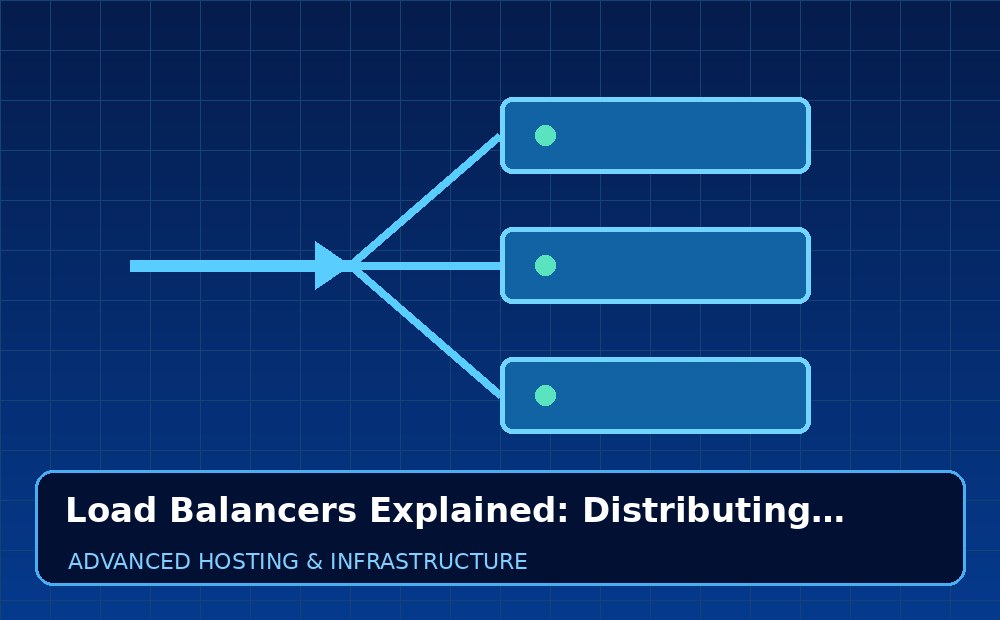
Load balancers distribute incoming requests across multiple servers or application instances. Instead of requiring every visitor to connect to one machine, a load balancer acts as a controlled entry point and selects an appropriate healthy destination. This can improve capacity, availability, and operational flexibility.
A load balancer does not create unlimited capacity. If every application instance is overloaded, or the network connection is saturated before traffic reaches the load balancer, requests can still fail. Effective design combines traffic distribution with sufficient capacity, application efficiency, monitoring, and upstream network protection.
Common load-balancing approaches
A load balancer may use round-robin distribution, weighted routing, least-connections logic, or other algorithms. The appropriate method depends on the application and the characteristics of the servers. Some systems also use session persistence when an application expects a visitor to return to the same backend, although modern designs often move session state into a shared store.
Layer 4 load balancing makes decisions using network transport information such as IP addresses and ports. Layer 7 load balancing can inspect application-level details such as hostnames, paths, and HTTP headers. Layer 7 routing is useful for directing different parts of a website to different services, but it requires careful configuration and awareness of the data being inspected.
Health checks and failover
Health checks help determine whether a backend should receive new requests. A simple check may confirm that a port accepts connections, while an application-aware check may verify that a service can complete a meaningful operation. Poorly designed checks can produce false failures or declare a server healthy even when important dependencies are unavailable.
Failover is the process of directing traffic away from an unhealthy component. It should be tested under realistic conditions. Teams should know how quickly a failed instance is removed, whether existing connections are interrupted, and how a recovered instance is safely returned to service.
Security and operational considerations
A public load balancer is an important security boundary. Restrict backend access so application servers accept traffic only from approved entry points. Protect administrative interfaces, keep certificates current, log useful request metadata, and avoid trusting client-supplied headers unless the proxy chain is configured to validate them.
Monitor request volume, response codes, latency, backend health, and resource use. These measurements help distinguish an application problem from a traffic surge or a failure in a downstream dependency. Load balancing improves the architecture, but it does not replace application security or DDoS mitigation.
Planning, monitoring, and security
Infrastructure components should be monitored as part of the complete service. Measure response time, error rates, availability, resource use, and the health of dependencies. Define who receives alerts and what actions are appropriate when a component becomes unhealthy. Keep configuration changes documented and test them before applying them to critical production systems.
Security should be built into each layer. Restrict administrative access, use strong authentication, keep software and certificates current, protect logs and secrets, and review network paths. Distributed infrastructure creates more control points, so teams need an accurate inventory and clear ownership for each service.
When this approach makes sense
Load Balancers Explained: Distributing Website Traffic is most useful when the website or application has requirements that justify the added architecture and operational effort. A small informational site may not need multiple regions, complex traffic routing, or edge execution. A growing service with geographically distributed visitors, demanding availability goals, or significant traffic variation may benefit from these capabilities.
Start with measurable needs: response time, traffic volume, acceptable downtime, geographic reach, and recovery expectations. Introduce components where they solve a real problem, and avoid complexity that the organization cannot monitor or maintain.
Where load balancers are used
Load balancers are common in public websites, APIs, e-commerce systems, and internal business applications. A site may use one to distribute requests across several web servers, while a larger platform may use multiple layers: a network-level balancer at the public edge and application-aware routing closer to the services. Cloud providers also offer managed load-balancing services that reduce the need to operate the balancing software directly.
The design should reflect the application's behavior. Long-running connections, WebSockets, file uploads, and streaming requests may need different timeout and routing settings from ordinary page requests. Review connection limits and idle timeouts before deployment.
A practical implementation checklist
Before introducing a load balancer, identify the backend instances, health-check endpoint, listener ports, TLS certificate requirements, routing rules, and logging needs. Confirm that backend servers accept traffic only from the expected load-balancer path and that the application correctly handles forwarded client information.
After deployment, test a backend failure, a traffic increase, and a configuration change. Watch both load-balancer metrics and application-level results. A successful health check is useful, but the final test is whether visitors can complete the tasks the website is designed to support.
Key Takeaways
- Understand which infrastructure problem the technology is intended to solve.
- Consider dependencies, security, monitoring, and operational responsibilities.
- Measure the result and avoid adding complexity without a clear benefit.
Putting It Into Practice
Dyeware's Resource Center explores the technologies and architecture behind modern websites and hosting. Dyeware uses these concepts as part of its broader approach to website development and infrastructure planning. The appropriate design depends on each site's performance, security, availability, and operational requirements.